Advanced Display Conditions
The Free version covers posts, pages and simple device targeting. Pro unlocks a much wider surface: archives, search results, 404 pages, custom post types, taxonomies and even specific Full Site Editing templates.
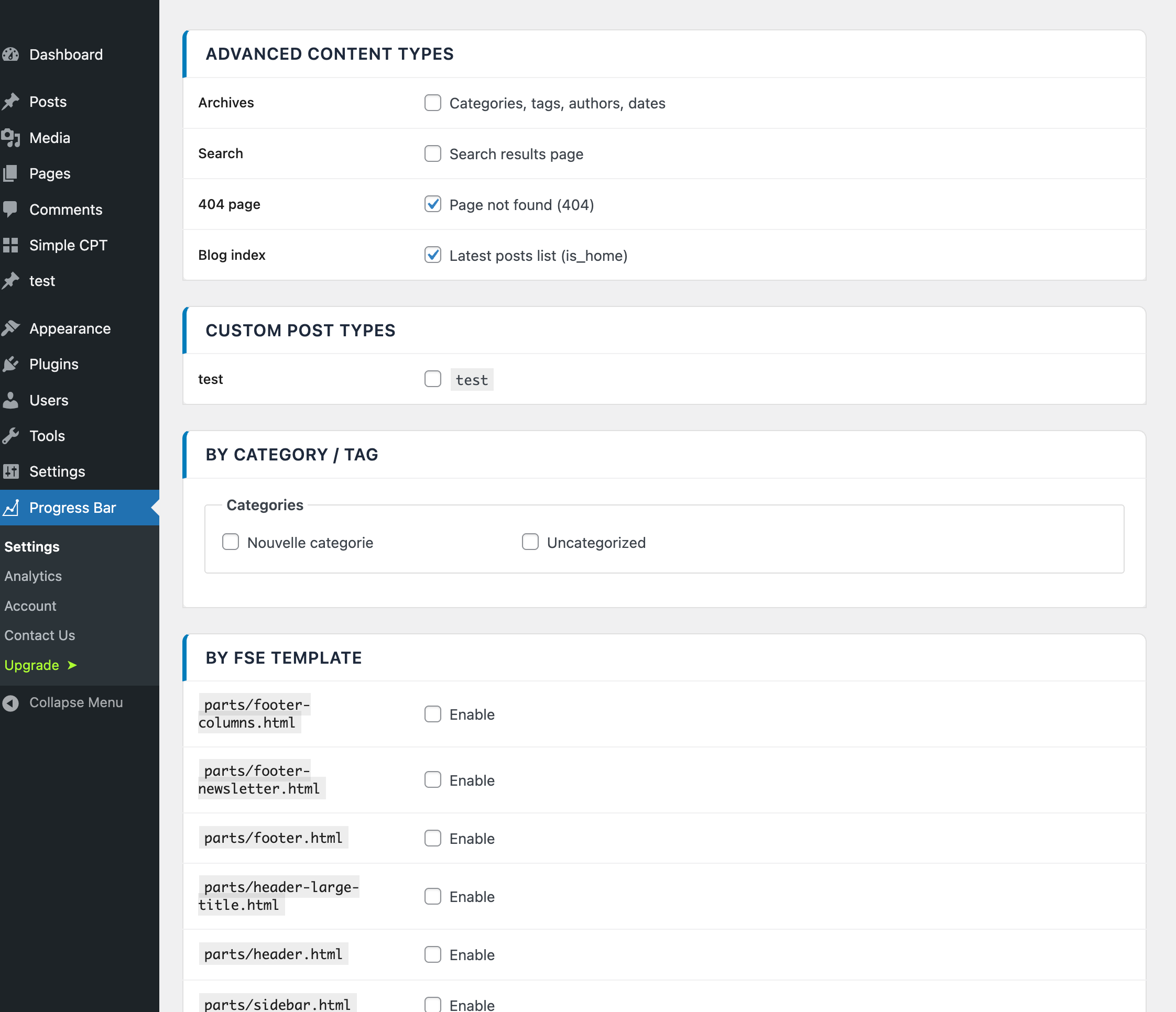
Available conditions
| Condition | Description |
|---|---|
| Archives | Category, tag, date and author archive pages |
| Search results | WordPress search results page |
| 404 pages | Page not found (the 404.php template or block equivalent) |
| Blog index | The main blog listing page (whether it's the home or a subpage) |
| Custom Post Types | Any registered public CPT — listed dynamically in the UI |
| Taxonomies | Categories, tags and custom taxonomies |
| FSE Templates | Target by Full Site Editing template name |
Each condition is a simple on/off toggle in the Display tab of the settings page. Custom Post Types and taxonomies are populated dynamically based on what's registered on your site, so new CPTs show up automatically after registration.
Concrete example
Say you run a photography site with a portfolio custom post type and standard pages for things like About and Contact. You want the progress bar on each portfolio item (long captions, image-heavy articles) but not on the static pages.
- Go to Progress Bar › Display (the Progress Bar top-level menu).
- Disable Enable on pages.
- In the Custom Post Types section, enable the toggle next to
portfolio. - Save.
Result: the bar appears on every portfolio single view, and nowhere else. The bar will also respect per-post overrides — so you can still hide it on individual portfolio items if you need to.