Per-Post Overrides
Global settings apply to every post. But sometimes you need to force a specific post to behave differently — hide the bar on a lightweight landing page, change the color for a sponsored article, or anchor the selector to a custom block wrapper.
ReadNinja exposes all of that directly from the editor, with no code.
Where to find them
In the Gutenberg block editor, open the ReadNinja panel in the document sidebar (the right-hand panel, below Status & visibility).
In the Classic Editor, the same options appear in a meta box below the post content.
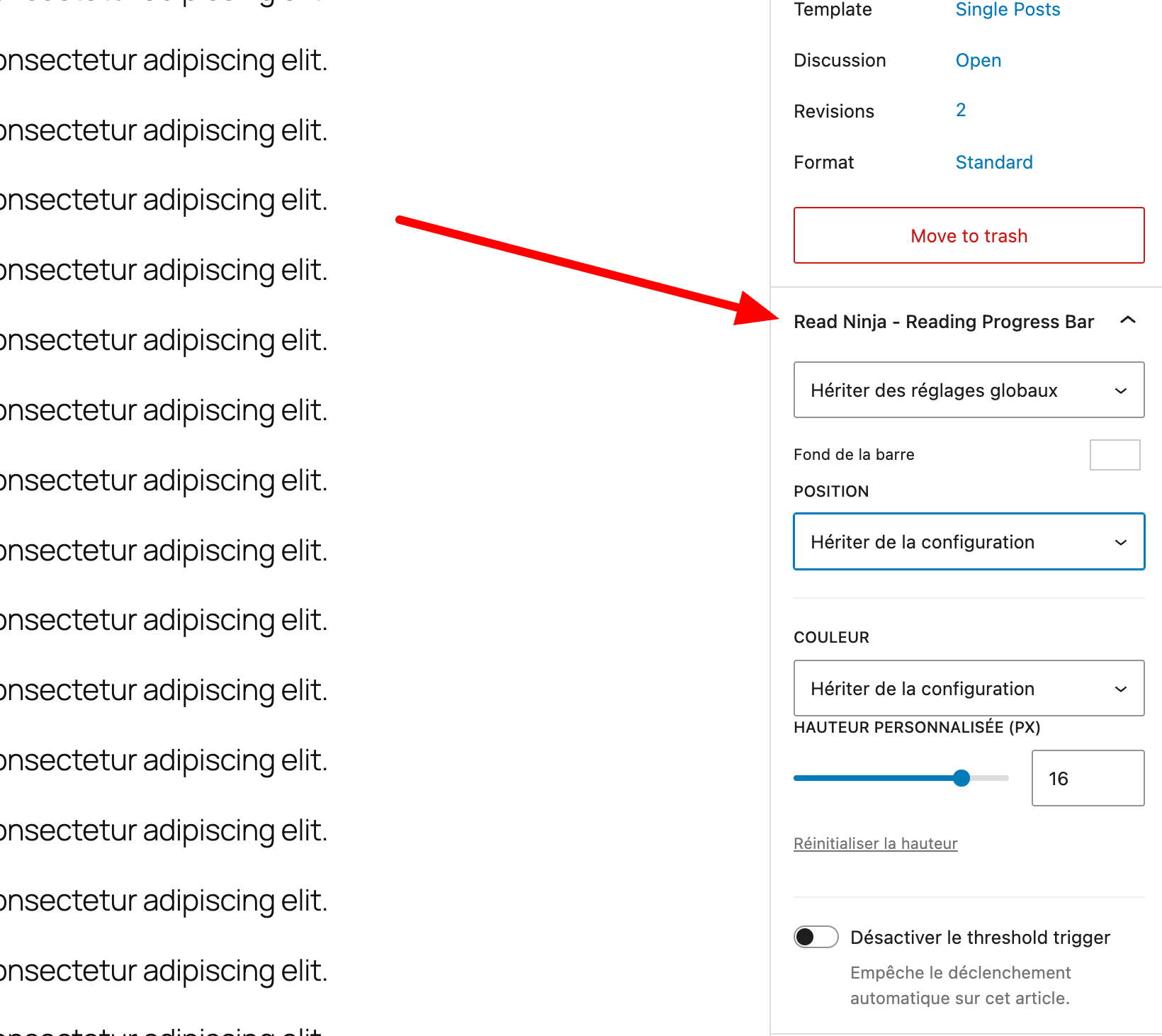
Available overrides
| Meta | Values | Effect |
|---|---|---|
| Display override | Inherit / Force show / Hide | Overrides the global display setting |
| Background color | Any color | Overrides the global bar / track color |
| Position override | top / bottom / custom | Overrides the global position |
| Custom CSS selector | Any valid CSS | Overrides the global content selector |
All four fields default to Inherit, meaning the post falls back to the global configuration until you change them.
Common use cases
- Hide on a specific post — set Display override to
Hideon landing pages, checkout pages or contact pages. - Force show on a page type that's globally disabled — flip Display override to
Force showif you want the bar on one specific static page even though pages are disabled globally. - Anchor to a custom wrapper — override the Custom CSS selector on posts that use a non-standard theme block (for example
#my-custom-article). - Per-article brand color — change Background color on sponsored or thematic posts without touching the global settings.